Introducing Playbooks: Transforming Enterprise Applications UX with Goal-Driven AI

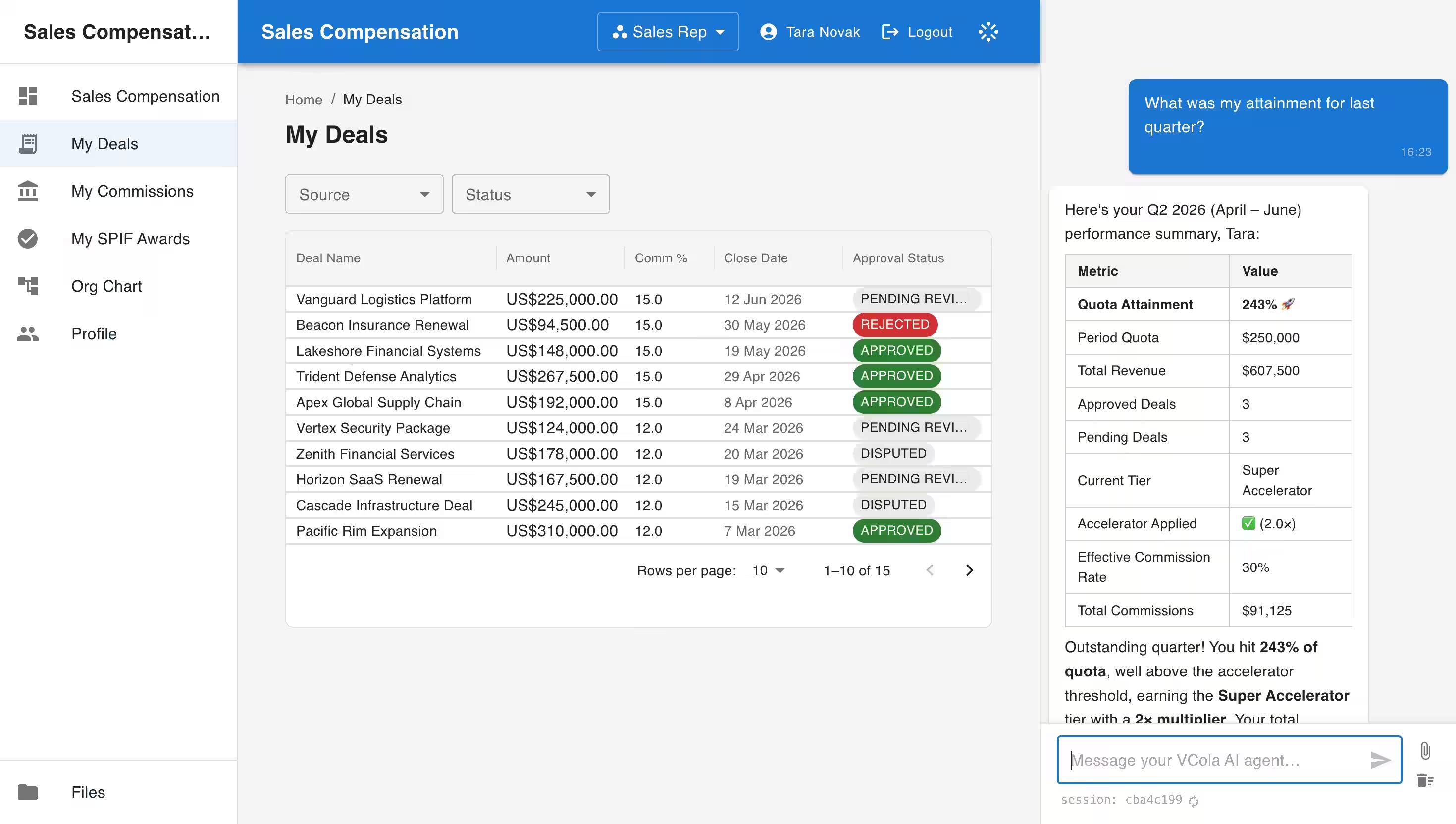
Anyone familiar with using on-premise enterprise applications or SaaS platforms knows just how convoluted and confusing the user experience can be. Static screens with dozens of fields, endless dropdown menus, and arcane rules for entries such as product serial numbers, inventory codes, and customer naming conventions, create friction at every step.
The complexity of these UIs makes training and onboarding increasingly expensive and severely impacts overall business productivity. Even as role-based dashboards assist harried users when it comes to seeing the wood for the trees, feature bloat, hybrid UIs, and poorly executed customizations conspire to continue complicating the user experience.
Today, we are introducing VCola Playbooks, a new user-experience concept that fundamentally changes how business applications are used. Playbooks enhance the prompt-based UX that is central to our Agentic Enterprise Applications, further streamlining operations, automating routine tasks, and enabling goal-driven operations, within the context of your role and authorization.
What Are Playbooks?
A playbook is a saved, reusable, programmable prompt that guides a user, or AI agent, through a specific, non-trivial task, such as onboarding a new client, correctly. It captures the steps, conventions, decision points, and a definition of "done," ensuring that a recurring piece of work produces the exact same quality outcome every time.
Playbooks represent a fundamental shift from traditional navigation to intent-based execution. Rather than users manually clicking through multiple forms to complete a process, a Playbook automatically discovers the necessary tools, assembles multi-step sequences, and guides operators seamlessly from goal to completion.
Identifying the Business Goal
Because every VCola Agentic Enterprise Application is defined by a living Specification, creating a new Playbook couldn’t be easier. Every Playbook begins with a clear business objective stated in plain language. Whether you want to "resolve open sales commission disputes" or "generate a monthly revenue reconciliation report," you describe the intent naturally rather than writing rigid code scripts.
You can generate a new Playbook conversationally through VCola's agentic interface (vMe), and the system assembles software integrations, entities and tools from scratch to create the reusable prompt. VCola analyses the application scope, underlying enterprise data, and available API actions, as defined in the Specification, to automatically discover the tools, queries, and mutations needed for your Playbook.
The platform translates your natural language goals into step-by-step operational rules, including:
- Which queries to run to fetch and evaluate context.
- What business logic, decision trees, or conventions to apply.
- Which tool references the agent is allowed to use.
- Where human-in-the loop approval is required.
The scope of the Playbook is bound by the user permissions and role of its creator. Once drafted, reviewed, and saved, the playbook becomes a first-class, reusable enterprise artifact. As long as you have the correct role or authorization you can trigger the Playbook with a single click or simple prompt. The VCola agents execute the multi-step sequence, presenting structured summaries, tables, or charts directly within the agentic workspace.
Human-in-the-Loop Approvals
Automated does not mean unmonitored. VCola integrates weighted human-in-the-loop controls into each Playbook definition. Where necessary, before executing critical operations, such as committing database mutations or batch actions, the Playbook pauses execution to request explicit approval at each relevant step. At the same time low risk or routine workflows can be programmed to perform automatically within well defined parameters.
When to Write a Playbook
You reach for a playbook when a task meets three criteria:
- Recurring: You expect to perform the task more than once.
- Non-trivial: Real judgment or specific ordering is required beyond a single command.
- Standardizable: There is a proven "right way" worth locking in, even if input details vary.
Common Playbook Examples
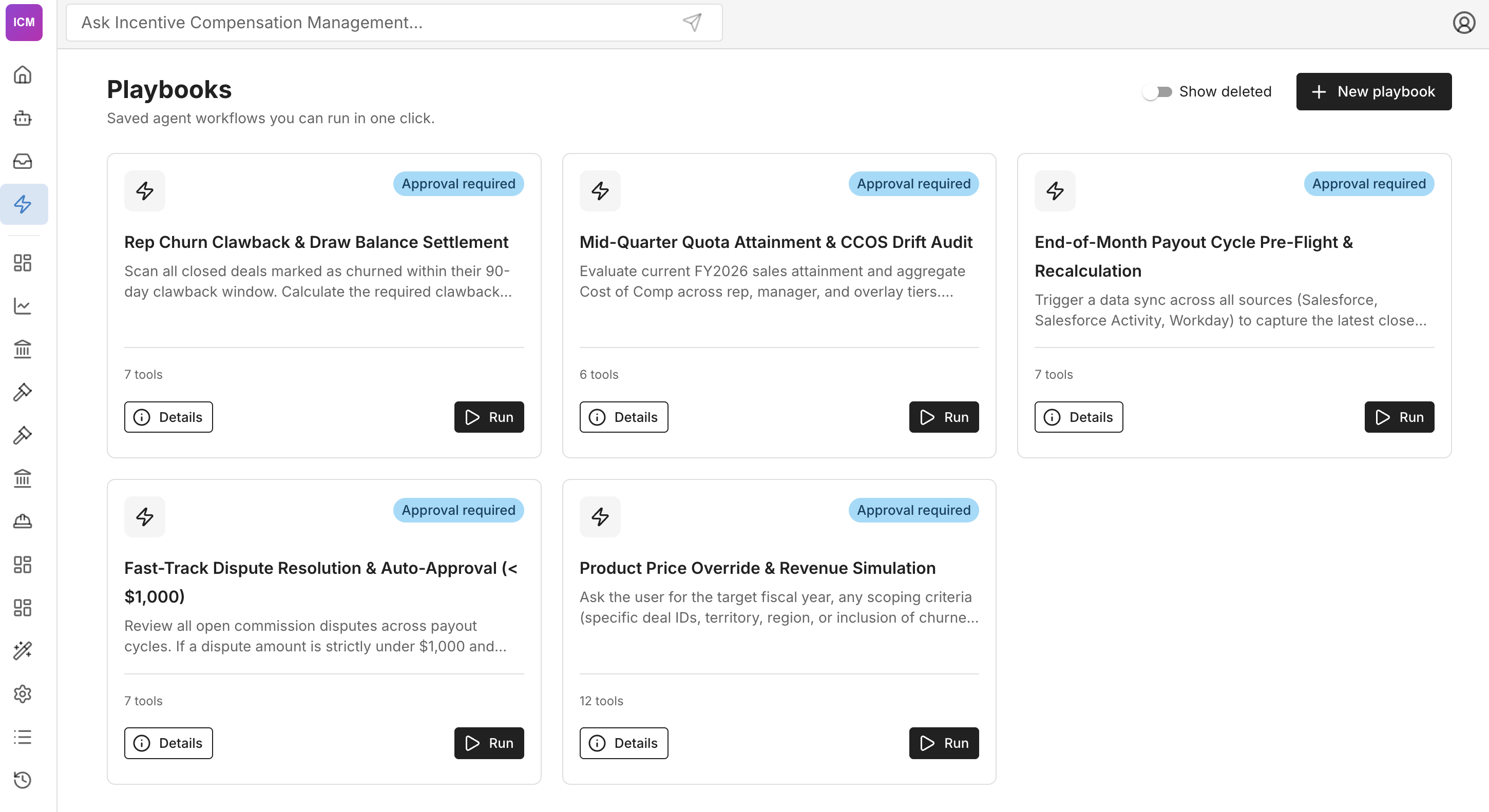
In the context of Incentive Compensation Management or Accounts Payable for example you may have playbooks that automate tasks such as:
- "Fast-track Dispute Resolution & Auto-Approval (<$500)" – Review all open disputes across payout cycles. If a dispute amount is under $500 automatically resolve.
- "Mid-quarter Quota Attainment &CCOS Drift Audit" – Evaluate current FY sales attainment and aggregate Cost of Comp across rep, manager and overlay tiers.
- "Perform the month-end close" – Apply the fixed sequence of checks and ledger actions for closing the month to current period data.
Moving Beyond Screen-by-Screen Navigation
The promise of modern AI in enterprise software can transform how work gets done. With Playbooks, operators no longer spend their days clicking through endless screens and forms. Simply select the Playbook for the business objective, let VCola execute the underlying steps, review proposed actions, and approve with confidence.
Register for your personalized demo to learn more about how VCola Playbooks can help you transform the user experience for your enterprise applications.